I remember the early days of Pinterest. Everyone thought it was just for recipes and wedding mood boards. But I saw something else, something far more powerful lurking beneath the surface: a visual search engine, a traffic goldmine for those willing to dig. And let me tell you, that potential hasn’t diminished. It’s simply evolved. If you’re not actively leveraging Pinterest for your website or blog, you’re leaving serious traffic on the table.
Understanding Pinterest as a Traffic Driver
Forget what you think you know about social media platforms. Pinterest isn’t Facebook. It’s not Instagram. It’s a beast entirely of its own, a unique blend of search engine and visual discovery tool. Think of it: people aren’t logging on to see what their friends ate for breakfast. They’re there to plan, to discover, to get ideas for projects, purchases, and passions. This user intent, this readiness to act, is what makes it so incredibly powerful for driving traffic.
For your blog, your website, your e-commerce store, this translates into consistent, often evergreen traffic. Unlike a fleeting tweet or an Instagram story, a Pin can live for months, even years, continually bringing fresh eyes to your content. That’s pure gold in my book. And for businesses, especially those in visually driven niches like fashion, food, DIY, or travel, a dedicated Pinterest Business account isn’t just an option; it’s a necessity. It’s where your audience is actively seeking solutions you provide.
Setting Up Your Pinterest Profile for Success
First things first: you need to present yourself professionally. This isn’t a casual endeavor.
Create a Business Account
Please, don’t even think about running a serious Pinterest strategy from a personal account. It’s like trying to run a marathon in flip-flops. Converting your existing personal account or starting fresh with a business account takes minutes, but the benefits are monumental. You get access to crucial analytics, which I’ll touch on later, and the ability to enable Rich Pins. These aren’t just perks; they’re foundational tools for anyone serious about Pinterest traffic.
Optimize Your Profile
Your profile is your digital storefront. It needs to be inviting, informative, and keyword-rich.
- Profile Picture and Cover Image: Use a professional headshot or your brand logo. Make it recognizable. Your cover image should reflect your niche, visually compelling and on-brand.
- Keyword-Rich Description: Don’t waste this space. I always advise using keywords that describe what you do and who you help. “Blogger helping entrepreneurs grow their online businesses” is far better than “Loves coffee and writing.”
- Claiming Your Website: This step is non-negotiable. It verifies you as the owner of your content, boosts trust, and is essential for Rich Pins and analytics. It literally links your website to your Pinterest presence.
Mastering Pinterest SEO for Discoverability
Pinterest isn’t just visual; it’s a search engine. That means SEO principles apply, and they apply hard. Ignoring this is akin to whispering your genius into the void.
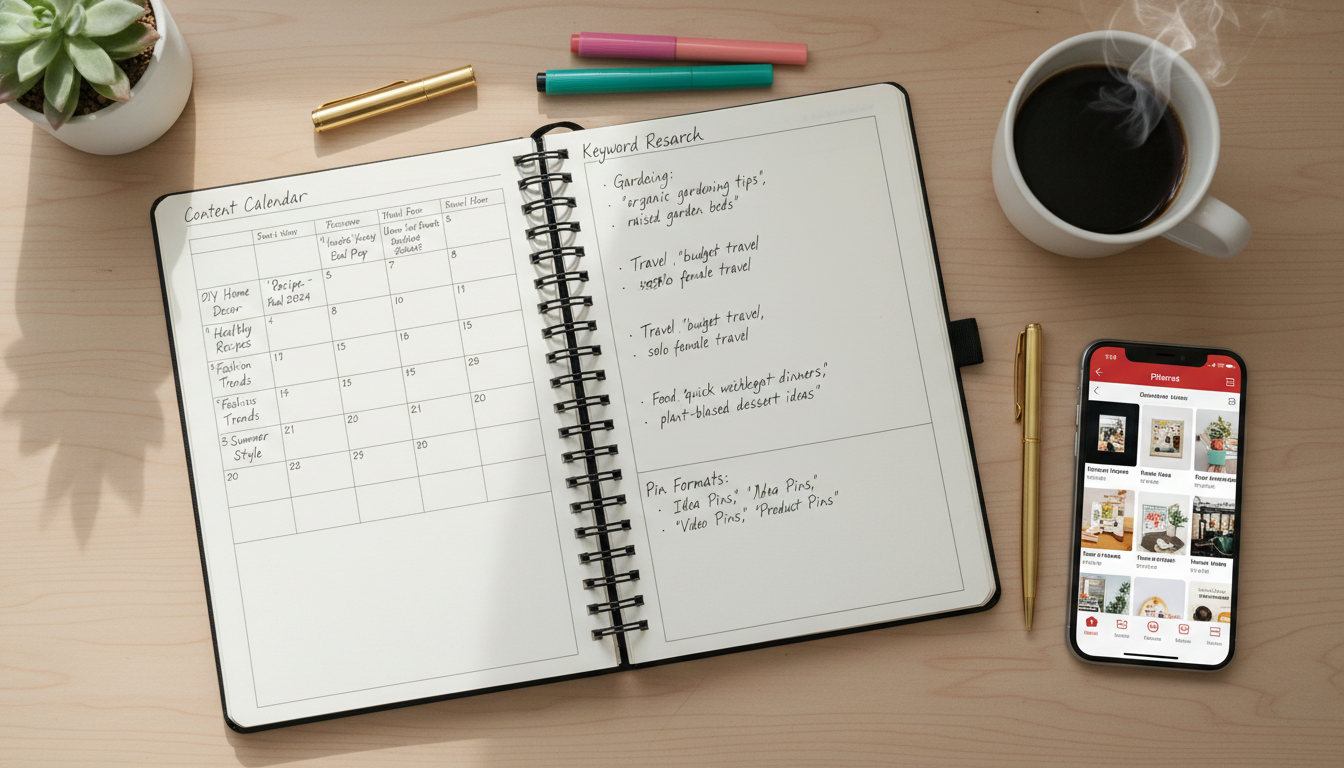
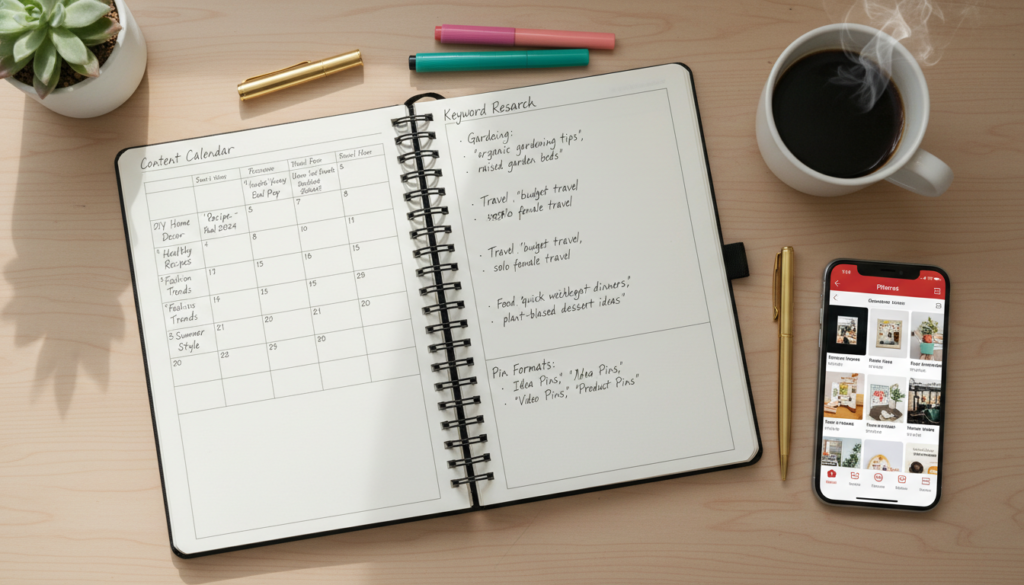
Conducting Keyword Research
This is where the magic begins.
- Pinterest’s Search Bar and Trends Tool: Start here. Type in broad terms related to your niche and observe the autocomplete suggestions. These are real search queries. Pinterest Trends is another fantastic, often underutilized resource for spotting seasonal and emerging popular topics.
- Identifying Long-Tail and Broad Keywords: Mix them. Broader terms get you found. Long-tail keywords (e.g., “vegan gluten-free meal prep for busy moms”) capture highly specific intent, bringing in super-qualified traffic.
- Tools for Pinterest Keyword Research: While Pinterest itself offers excellent native tools, some third-party platforms integrate keyword suggestions specifically for Pinterest, giving you even more options. I’ve seen some agencies swear by their bespoke tools, but honestly, Pinterest’s native ones are a strong starting point.
Optimizing Boards
Boards are your content categories. Treat them with respect.
- Creating Relevant, Niche-Specific Boards: Every board should have a clear theme. “Healthy Recipes” is good. “Quick & Easy Weeknight Vegan Dinner Ideas” is better. Niche down.
- Using Keywords in Board Titles and Descriptions: Stuff your board titles with relevant keywords. Then, expand on those in the description. Tell Pinterest exactly what kind of content lives there. It helps the algorithm, and it helps users.
- Categorizing Boards Appropriately: Make sure your boards are assigned to the correct Pinterest categories. It’s a small detail, but it makes a difference in discoverability.
Optimizing Pins
Each Pin is a tiny billboard for your content. Make it work.
- Keywords in Pin Titles: Your Pin title should be descriptive and keyword-rich. Don’t be clever; be clear.
- Keyword-Rich Pin Descriptions (including hashtags): This is prime SEO real estate. Write compelling, informative descriptions of 2-3 sentences, naturally weaving in keywords. Add relevant hashtags (3-5 is a good number). Pinterest treats them like mini-keywords.
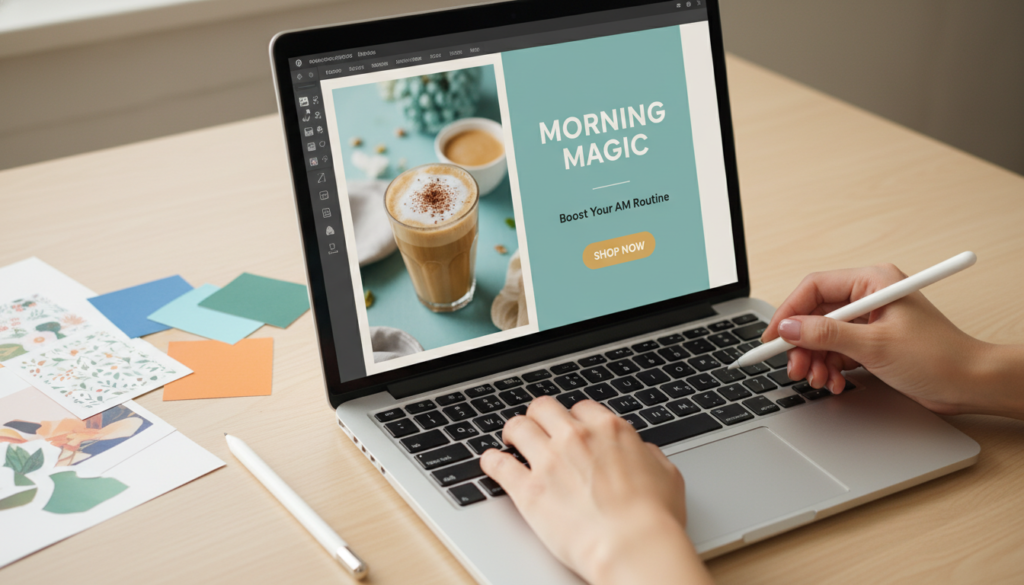
- Text Overlay on Images for Keywords: This is huge. Pinterest’s visual search understands text on images. Put your main keyword or a compelling headline directly on the Pin image. It grabs attention and reinforces your topic.
Crafting High-Converting Pins
Even the best SEO won’t matter if your Pins don’t make people click. Aesthetics and clarity are everything.
Visual Appeal is Key
This is where Pinterest truly differentiates itself. It’s a visual platform first.
- Importance of High-Quality, Vertical Images (2:3 aspect ratio): Vertical images dominate the feed. I recommend a 2:3 ratio (e.g., 1000×1500 pixels). Anything less just gets lost. High-quality visuals are non-negotiable. Blurry, pixelated images scream “unprofessional.”
- Using Compelling Visuals and Branding: Make your Pins eye-catching. Use bright, clear photography or appealing graphics. Incorporate your branding (logo, specific fonts, brand colors) subtly but consistently. Recognition builds trust.
- Adding Text Overlays That Grab Attention: I love a good text overlay. It’s your headline. Make it bold, clear, and intriguing. Pose a question, offer a solution, or promise a benefit.
Creating Engaging Descriptions
Once the visual hooks them, the description reels them in.
- Writing Clear, Concise, and Keyword-Rich Descriptions: Beyond SEO, your description needs to tell the user what they’ll find if they click. Be clear. Be concise.
- Incorporating a Strong Call-to-Action (CTA): Don’t just inform; instruct. “Click here for the full recipe,” “Read the ultimate guide,” “Shop now.” A direct CTA significantly improves click-through rates.
Implementing Rich Pins
These are your power Pins.
- What are Rich Pins and Their Benefits: Rich Pins pull extra information directly from your website, like article headlines, author names, or product prices and availability. They stand out. They provide more context. This almost always leads to higher click-through rates because users know exactly what they’re getting.
- How to Apply for and Validate Rich Pins: It’s a simple process, usually involving adding some meta-data to your website and then validating a URL on Pinterest’s site. The small effort yields big rewards.
Developing a Consistent Pinning Strategy
Consistency isn’t just a buzzword; it’s the bedrock of Pinterest growth.
Consistency Over Quantity
Pinterest favors consistent activity over sporadic bursts. A few high-quality Pins every day is far better than 50 Pins once a month. I’ve found that steady output keeps your content in the algorithm’s good graces.
- The Importance of Regular, Consistent Pinning: It keeps your profile active, signals to Pinterest you’re a serious content creator, and steadily expands your reach.
- How Often to Pin (daily recommendations): While there’s no magic number, I generally recommend anywhere from 5-15 Pins per day for active growth, mixing new and existing content.
Scheduling Your Pins
You don’t need to be glued to Pinterest all day. Smart planning helps.
- Benefits of Using a Pinterest Scheduler (e.g., Tailwind, MeetEdgar): I’ve seen firsthand how these tools revolutionize a Pinterest strategy. They allow you to schedule weeks or even months of content in advance, ensuring that daily consistency without daily effort. Tailwind, for instance, offers smart scheduling based on when your audience is most active.
- Batching Content Creation: Dedicate specific blocks of time to create multiple Pins at once. Design 20-30 Pins in an afternoon, then load them into your scheduler. Efficiency is key here.
Repinning and Curating Content
Don’t just Pin your own stuff. It looks spammy, and it limits your reach.
- Repinning Your Own Older Content: This is a fantastic evergreen strategy. Take your best-performing blog posts and create new, fresh Pins for them. Give them new life.
- Curating Valuable Content from Others in Your Niche: Become a resource. Pin content from other relevant, high-quality creators in your niche. It shows you’re an authority, it keeps your boards fresh, and it builds goodwill.
Advanced Strategies to Boost Pinterest Traffic
Ready to push the envelope? These strategies can really amplify your efforts.
Leveraging Group Boards
Group boards used to be a massive growth hack. They’re not quite as powerful as they once were, but they still have a place in a well-rounded strategy.
- Finding and Joining Relevant Group Boards: Look for boards in your niche with engaged contributors. Reach out to the owner respectfully.
- Best Practices for Contributing to Group Boards: Don’t just dump your links. Follow the board rules. Pin high-quality, relevant content, a mix of yours and others’.
- Creating Your Own Group Boards: Become a leader. Start your own, invite trusted collaborators, and set the tone.
Promoting Idea Pins & Video Pins
Pinterest isn’t static. It’s pushing new content formats.
- Understanding Different Pin Formats and Their Current Performance: Idea Pins (formerly Story Pins) are Pinterest’s answer to short-form, multi-page content. Video Pins are also seeing increased reach. Pinterest often boosts new formats, so jump on them.
- Strategies for Creating Engaging Idea Pins and Video Content: Focus on short, digestible tutorials, behind-the-scenes glimpses, or quick tips. Think engaging and informative, not overly salesy.
Utilizing Pinterest Analytics
This is where you stop guessing and start knowing.
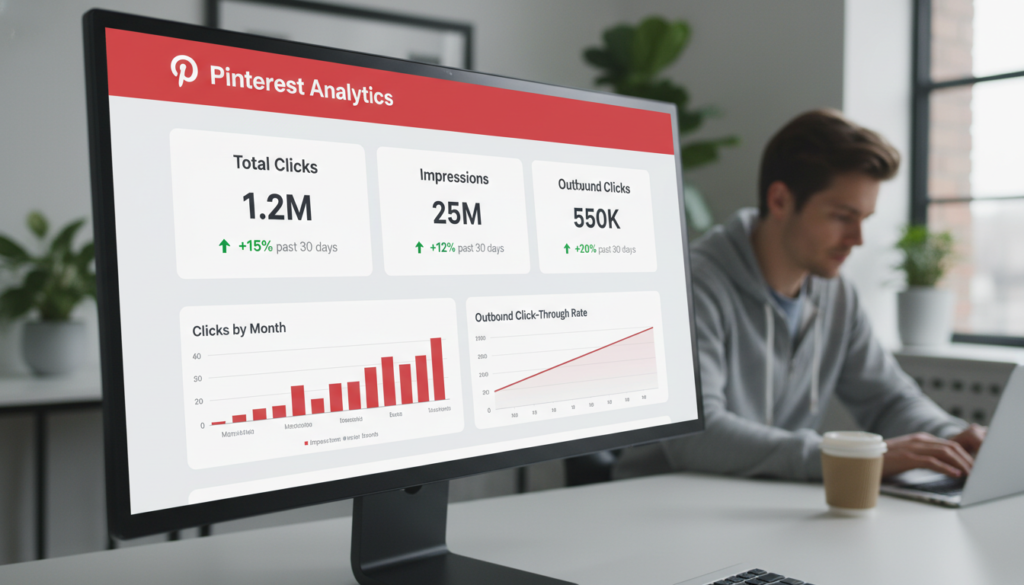
- Monitoring Top-Performing Pins and Boards: Your business account analytics show you exactly what’s working. Which Pins drive clicks? Which boards resonate? Double down on those strategies.
- Understanding Audience Insights: Who is your audience? What are their interests? Pinterest analytics provides this data, allowing you to tailor your content more effectively.
- Tracking Traffic to Your Website: Connect your analytics to your website’s data. See precisely how much traffic Pinterest is sending, and what those users do once they land on your site.
Reviving Old Content
Your existing content is a treasure trove. Don’t let it gather dust.
- Identifying High-Performing Old Blog Posts: Look at your Google Analytics. Which posts consistently perform well? These are perfect candidates.
- Creating New Pins for Existing Evergreen Content: One blog post isn’t one Pin. It’s ten, twenty, fifty Pins. Create varied visuals and descriptions for your top evergreen content. This keeps it circulating and expands its reach.
Adding a “Pin It” Widget to Your Site
Make it ridiculously easy for people to share your content. Add a hover-over “Pin It” button to all your images. This encourages organic sharing, amplifying your reach for free.
Common Mistakes to Avoid on Pinterest
I’ve seen it all, and these are the missteps that consistently derail Pinterest strategies. Don’t fall victim.
- Not optimizing Pins with keywords: This is the cardinal sin. If Pinterest can’t understand your content, it won’t show it to the right people.
- Inconsistent pinning: A sporadic approach gets sporadic results. It’s that simple.
- Ignoring analytics: You’re flying blind without data. Analytics tell you what’s working and what isn’t.
- Using low-quality images: Pinterest is a visual platform. Poor visuals are a turn-off.
- Only pinning your own content: This signals you’re self-promotional, not a valuable resource. Mix in curated content.
Pinterest, when approached with strategy and consistency, isn’t just another platform; it’s a powerful search engine waiting to funnel high-intent traffic directly to your doorstep. Implement these strategies, stay persistent, and watch your website traffic grow. It truly is a journey worth embarking on.